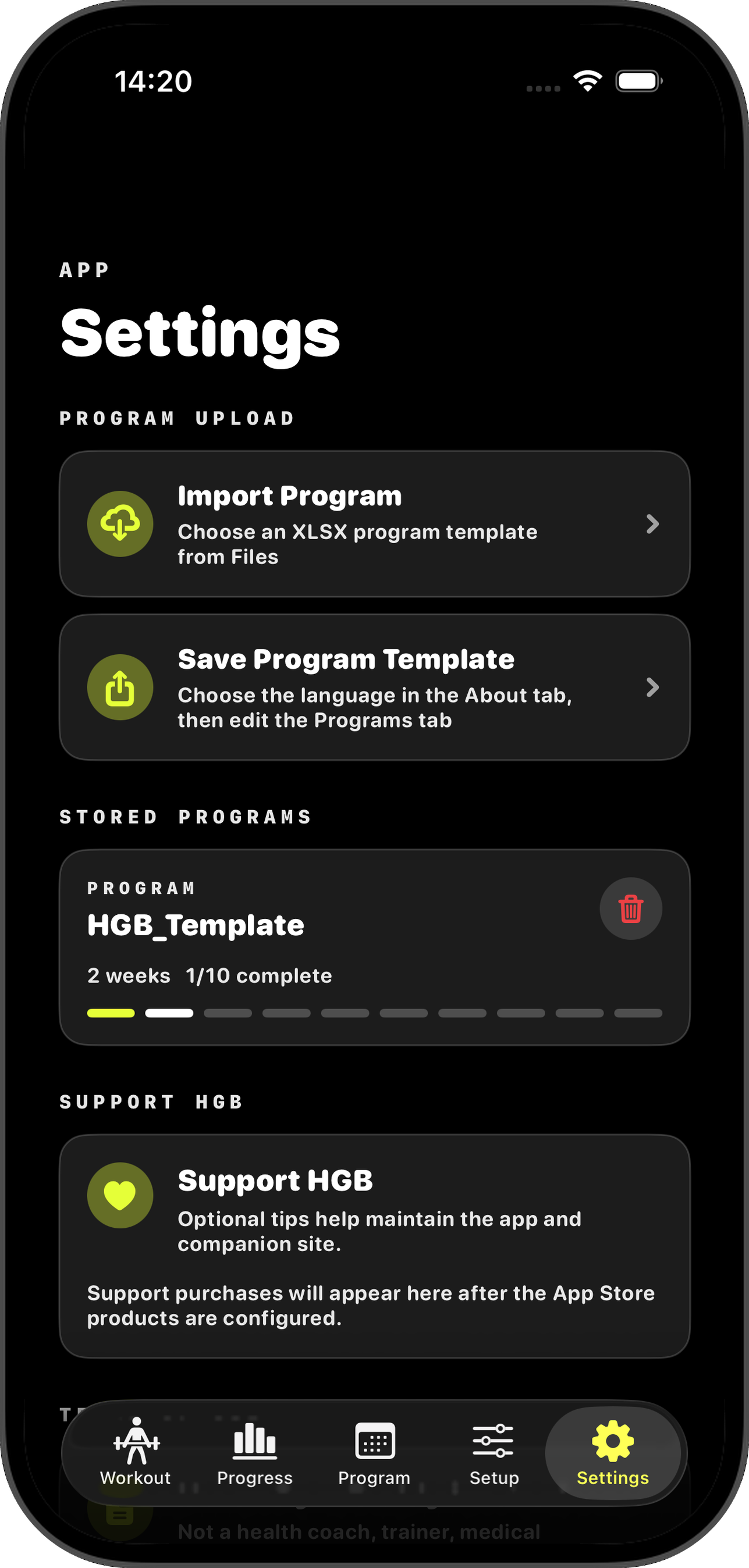
Start in Settings.
Use Save Program Template if you want the in-app copy, or Import Program when your edited workbook is ready.
The template now has three visible tabs: about, programs, and exercises. Choose a language on about, build your plan on programs, and let the hidden helper data do the boring work.
Download the workbook, open the about tab, and use the Language selector. English is the default. If you choose French, Spanish, or Dutch, the workbook keeps English available and shows the selected language beside it.
Download Program_template.xlsx| Visible tab | What it is for |
|---|---|
| about | Set the workbook language and check the template summary. |
| programs | Build the program the app imports. This is where almost all editing happens. |
| exercises | Browse the exercise library in English plus your selected language. |
You no longer need a separate file per language. Change the selector on about; the title, visible column headers, and exercise names update automatically.
The programs tab has 700 prepared lines. Add one row per exercise or named WOD. Use the dropdown in Exercise / WOD where possible; the hidden helper columns fill in IDs, item kind, and English names for the app.
Rows that share the same Week and Day become one workout day in the app. The default template does not need rest-day rows.
Row 1 and several columns are hidden and protected. They store technical keys such as program_id, item_id, item_kind, exercise_en, and rest_sec. Do not unhide or edit them.
Example rows in the new format:
| Week | Day | Session | Block | Exercise / WOD | Sets | Reps / Time | Load | Unit | RPE | Tempo | Notes |
|---|---|---|---|---|---|---|---|---|---|---|---|
| 1 | 1 | 1 | lift | Barbell Bench Press | 5 | 5 | 52.5 | kg | 7 | ||
| 1 | 1 | 1 | accessory | Lat Pulldown | 3 | 8 | 35 | kg | |||
| 1 | 1 | 1 | cardio | Walk | 1 | 25 | min | 3 | steady pace | ||
| 1 | 2 | 2 | conditioning | ★ Fran | 1 | benchmark WOD |
| Column | Required? | What to enter |
|---|---|---|
| Week | Required | A plain number, e.g. 1, 2, 3. |
| Day | Required | The workout day inside that week. Rows with the same Week + Day are grouped together. |
| Session | Recommended | A simple session number. Usually keep it the same as Day. |
| Block | Required | Use lift, accessory, cardio, conditioning, mixed, or rest. The default program does not need rest rows. |
| Exercise / WOD | Required | Choose an exercise or starred WOD from the dropdown, or type a custom exercise name. |
| Sets | Recommended | Number of sets, e.g. 3 or 5. |
| Reps / Time | Recommended | Reps, distance, or duration, e.g. 8, 12, 25, 20 min. |
| Load | Optional | Weight or target load, e.g. 52.5. Leave blank for bodyweight or time-based work. |
| Unit | Recommended | kg, lb, min, sec, m, km, or another clear unit. |
| RPE | Optional | Effort rating 1-10. Leave blank if you do not use RPE. |
| Tempo | Optional | Tempo note such as 3-1-1-0. The app stores it in the workout notes. |
| Notes | Optional | Short coaching notes, setup details, or targets. |
The app reads the hidden technical headers, not just the visible labels. If you unhide and change those cells, remove protected columns, or rename the workbook sheets, import can fail.
The exercises tab is mostly a reference. It shows English plus the language selected on about. The hidden helper tabs behind it are used by dropdowns and import; users do not need to see or edit them.
When you are done editing, keep the file as .xlsx. Home Gym Buddy imports Excel workbooks and reads the hidden workbook data inside them.
| App | Export path |
|---|---|
| Excel | Save the workbook normally as Excel Workbook (.xlsx). |
| Google Sheets | File › Download › Microsoft Excel (.xlsx). |
| Numbers | File › Export To › Excel, then choose .xlsx. |
Home Gym Buddy works with the same workbook flow shown in the app: save or download the template, edit it in your spreadsheet app, then import the finished .xlsx from Settings.
Use Save Program Template if you want the in-app copy, or Import Program when your edited workbook is ready.
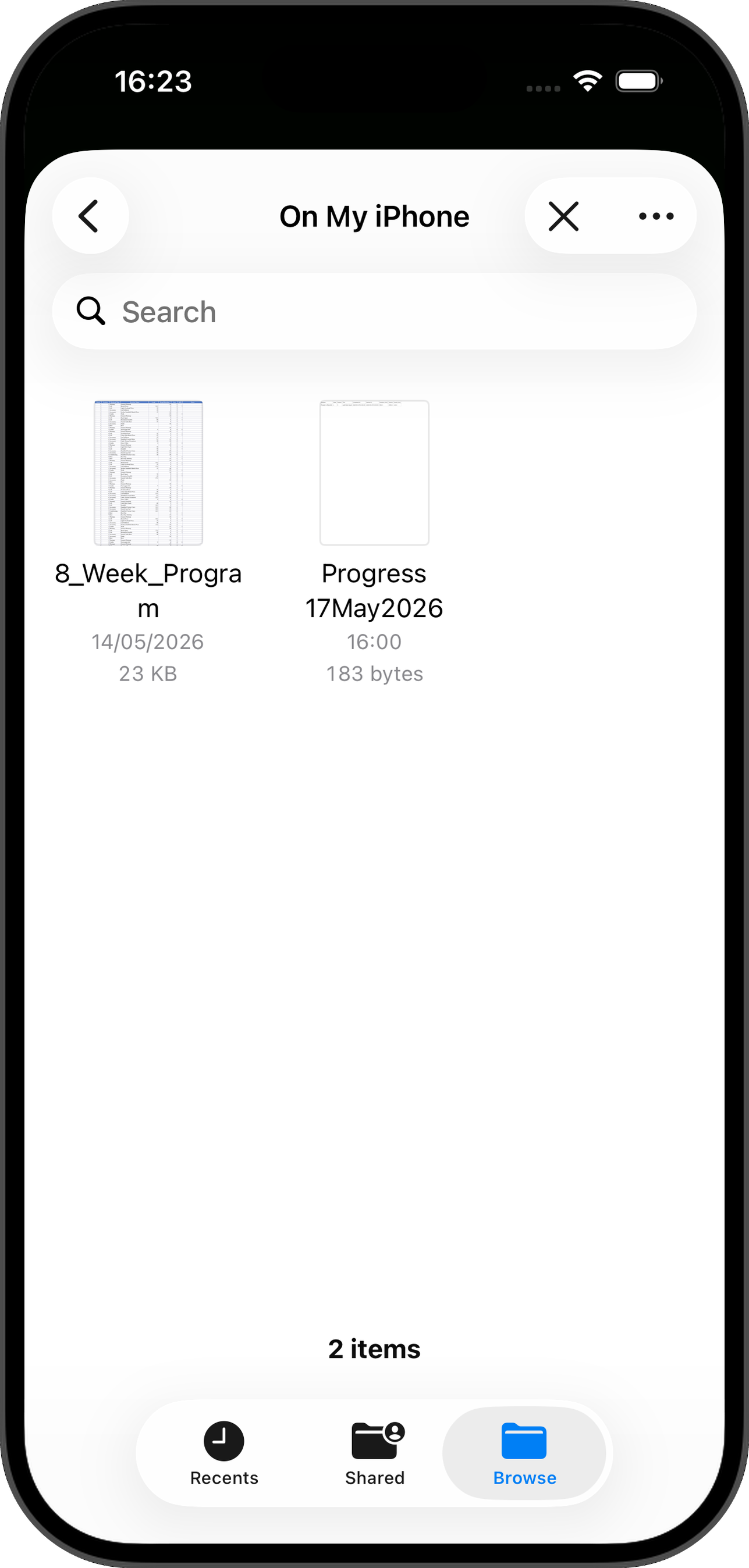
Choose the saved .xlsx from Files. Google Sheets users should download as Microsoft Excel first.
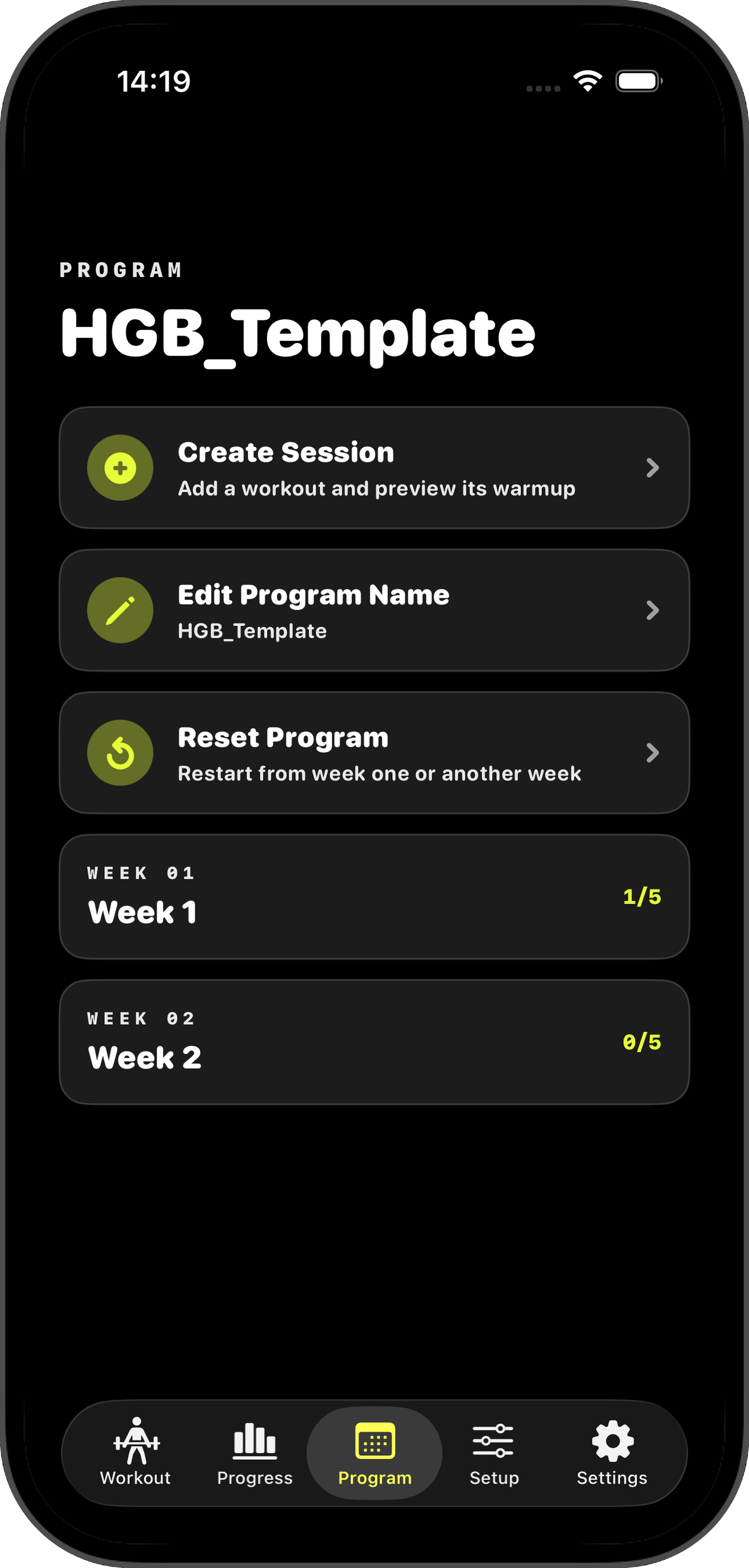
After import, open Programs and review the generated weeks, sessions, exercises, loads, and notes before you start training.
Run through this before you upload. Most import errors come from one of these.
If the app flags any rows on import, check those rows against this list. Still stuck? Email support@homegymbuddy.com.
rest block if you intentionally want a rest session imported.★ Fran are named workouts from the hidden WOD library. The app can expand them into their workout steps during import.