iOS · v1.0 · Pre-order now

Your program. Your phone. Lift.

Home Gym Buddy is for people who enjoy building their own training program and getting the work done without distractions. Create your plan in a spreadsheet, import it into the app, and follow your sessions in a clean, simple format.

Track your workouts, stay organised, keep control of your training.

No login required No subscription Your data stays on your phone — because it's yours

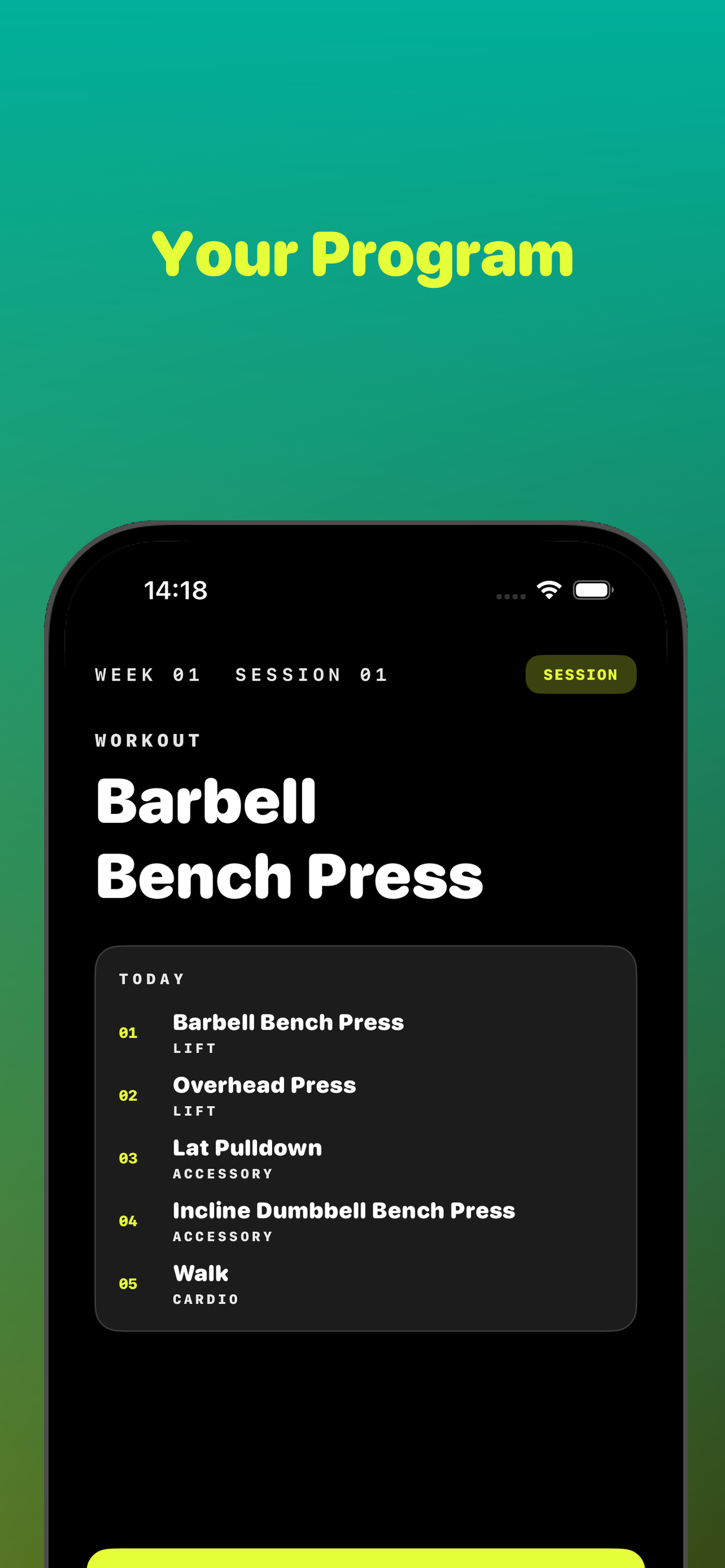
Today's session Week 02 · 01 Today's session in Home Gym Buddy
01 · What's inside

A clean session screen for the program you already wrote.

Home Gym Buddy doesn't decide what you lift. It reads your spreadsheet, lays out the day, and keeps the page turning. You stay in control of the program.

01 / Import .xlsx Import your spreadsheet program into Home Gym Buddy
01 · Your Program

Import your plan.

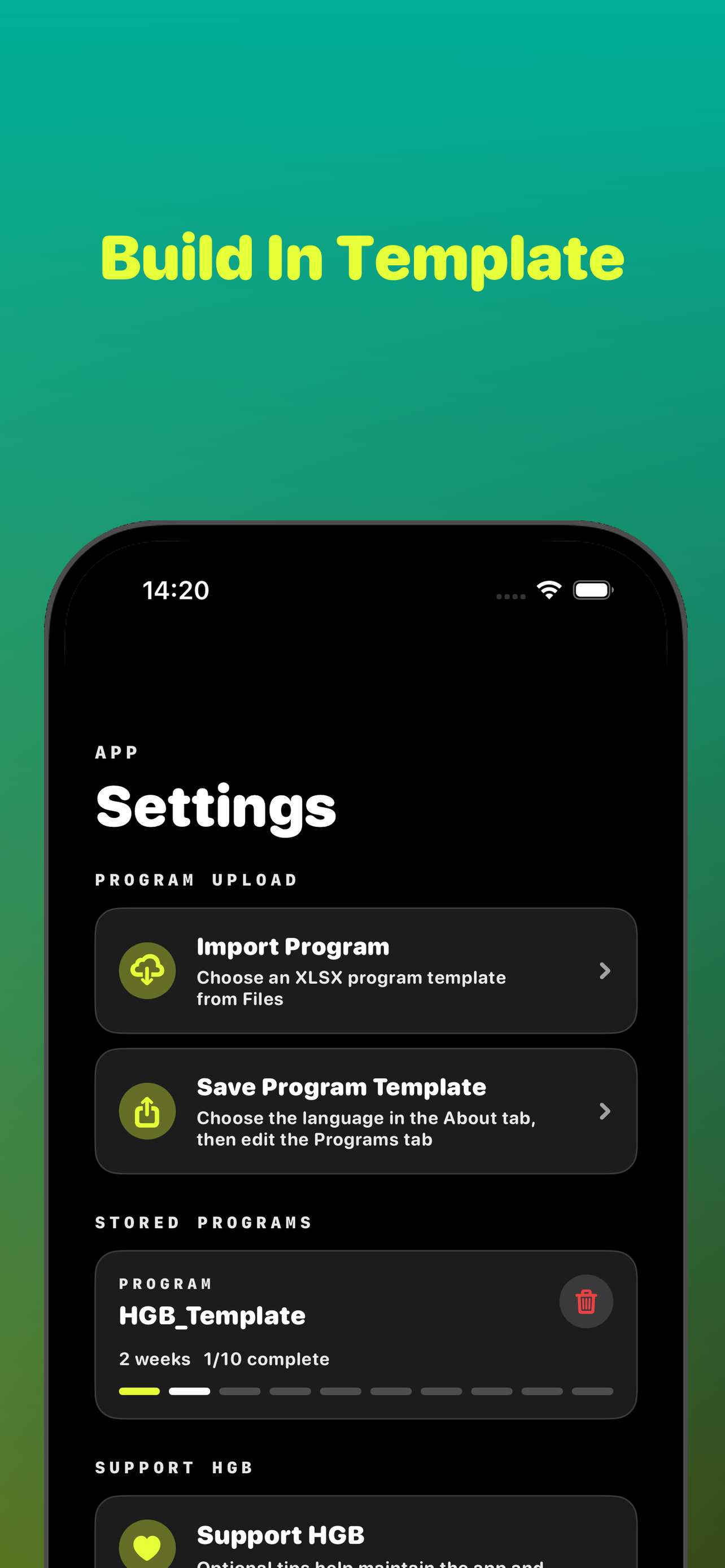
Save the spreadsheet template to iCloud, build your program in Numbers or Excel, and import the file back. HGB sets everything up automatically.

Just use the numbers you're used to — no conversion. Enter 150 and it shows as 150 kg by default. Training in lb? Switch the unit in settings and the same row reads 150 lb.

  • Format
  • Storage
  • Units
Read the template guide
02 · Guided Sessions

Train with focus.

Load your session and the app walks you through every exercise in order — with built-in warmup ramps included.

See your full session before you start. No scrolling, no guessing, no decisions mid-workout. Just show up and lift.

  • Today
  • Order
  • Sets
02 / Session Week 02 Today's session screen
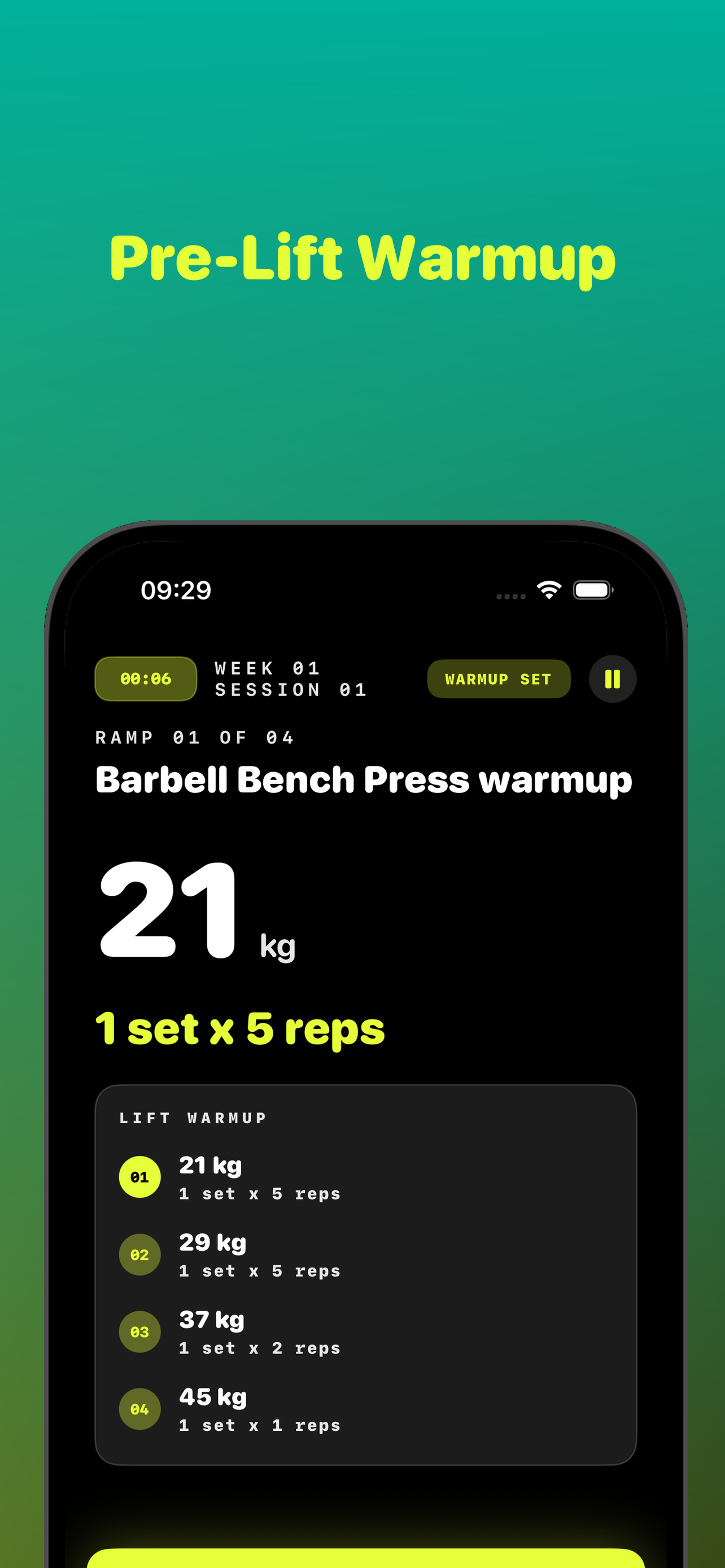
03 / Warmup Ramp 01/04 Pre-lift warmup ramps
03 · Warmups & Sets

Move set by set.

Guided warmup ramps calculate your weights automatically. Work through each set in sequence, mark it done, and move on. One thing at a time.

We ship a default warmup sequence for lifts, based on a percentage of your first working set. You can adjust the percentages and reps in settings.

  • Squat
  • Bench / Press
  • Deadlift
04 · Rest Timers

Rest on time.

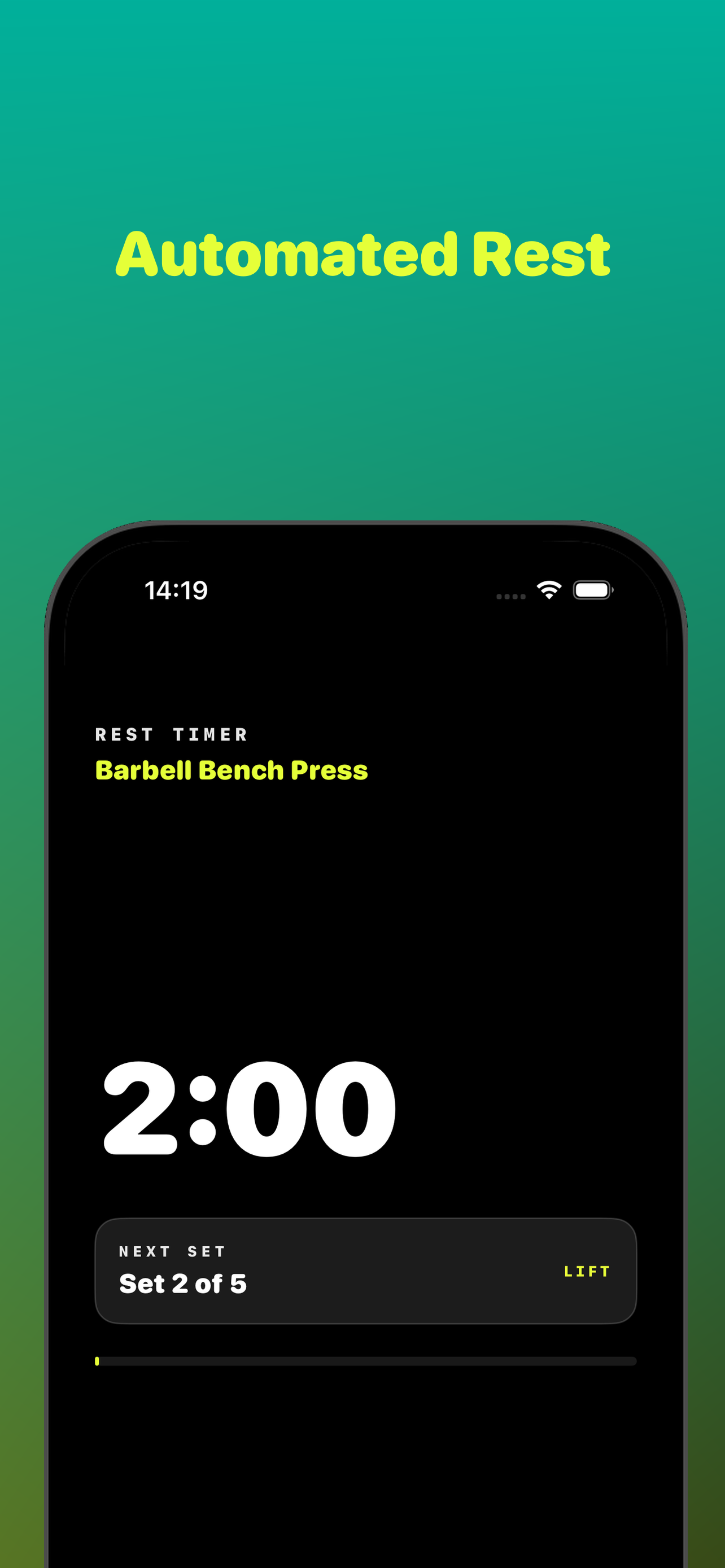
Two separate rest timers — one for lifts, one for accessory work — count down between sets so you stay on pace without watching the clock.

Increase or reduce the duration for each in settings. The next set is always queued and visible.

  • Lift sets
  • Accessory
  • Both
04 / Rest 1:57 Rest timer counting down between sets
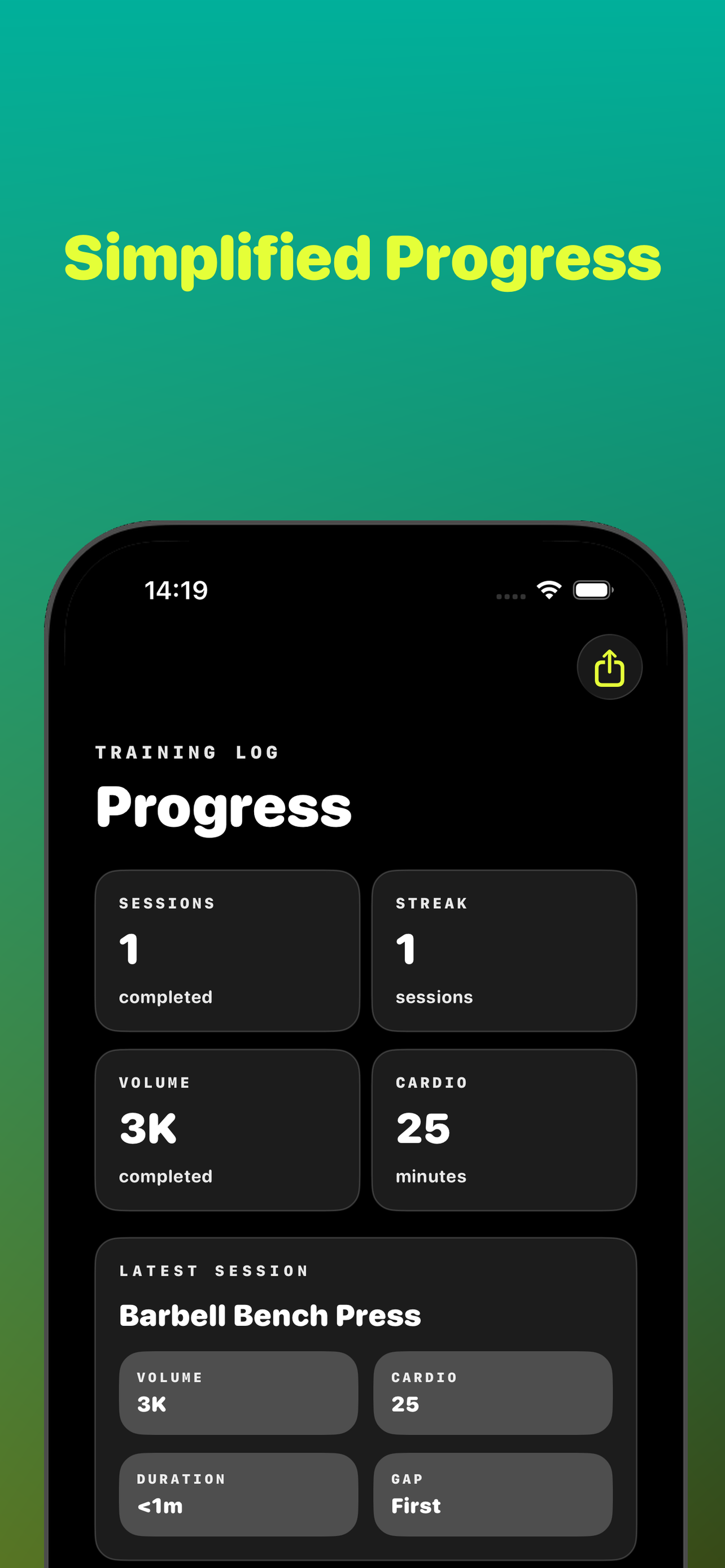
05 / Progress 3K volume Training log and progress
05 · Training Log

Track real progress.

Every completed session is logged automatically. Watch your streak grow, your volume climb, and your cardio minutes add up.

Your history is preserved even if you switch to a new program. Progress you can actually see over time.

  • Stats
  • History
  • Storage
06 · Settings

Set it up your way.

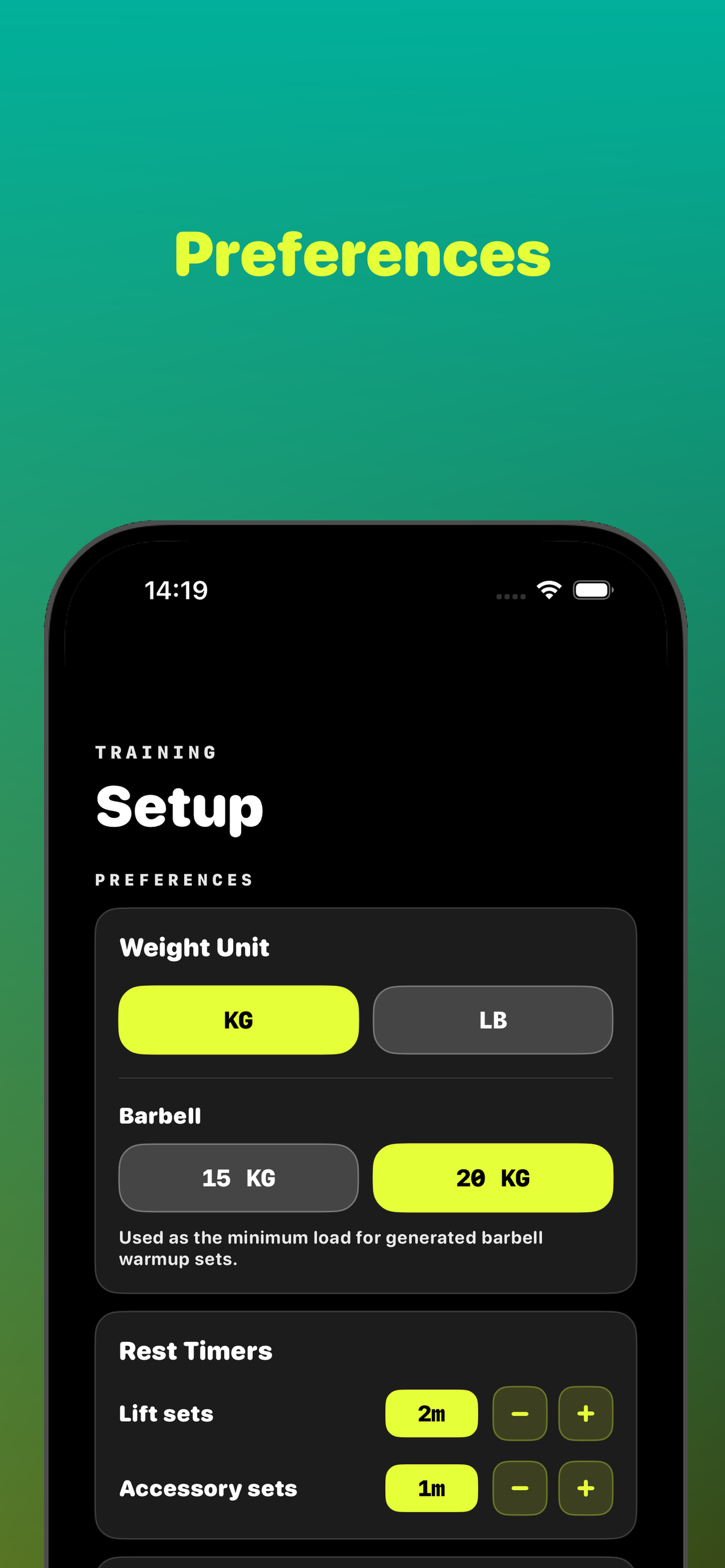
Choose your weight unit — kg or lb. Set your barbell weight. Adjust rest timer durations for lifts and accessory work separately.

Configure it once and forget it. The app uses your preferences across every session.

  • Unit
  • Barbell
  • Timers
06 / Setup Preferences Setup preferences for units, barbell weight, and rest timers
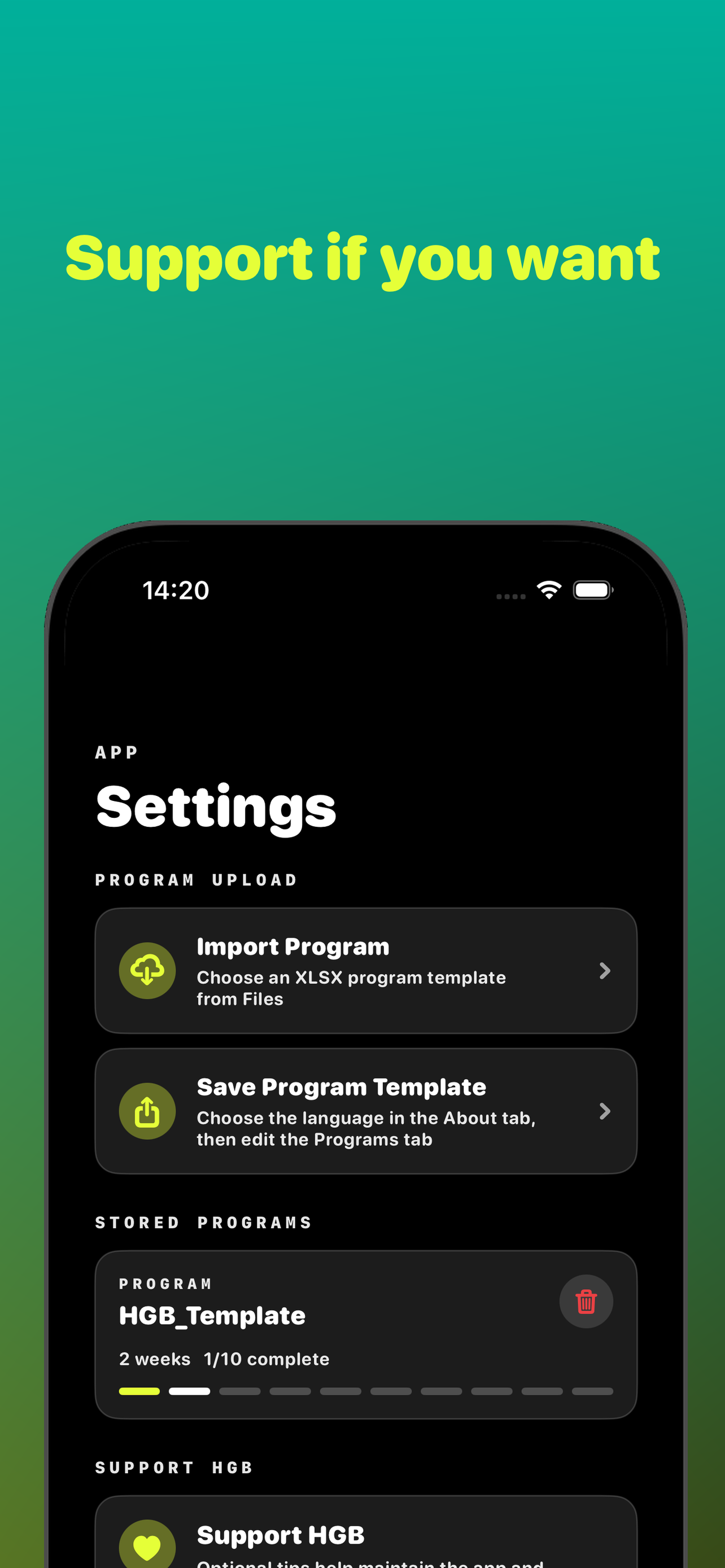
07 / Support HGB Optional Support Home Gym Buddy from inside the app
07 · Support HGB

Support if you want.

Home Gym Buddy is free. No subscription, no locked features. If you find it useful and want to help keep the app and site running, you can leave an optional tip from inside the app.

It's entirely your choice. Everything stays available to everyone, regardless.

  • Spotter
  • Buddy
  • Free tier
A tool · not a coach

Your program. Your choices.
Your data.

02 · Questions

The honest FAQ.

Short answers. The full version lives on the Support page.

Q.01 Do I need to create an account? +

No. There is no sign-in, no email field, no profile to create. The app is on your phone. Open it and it works.

Q.02 Where does my data live? +

On your phone, in HGB's sandboxed storage. Nothing is uploaded to a server because there is no server. If you export your program to iCloud Drive, that copy lives in your personal iCloud account.

Q.03 What spreadsheet format does HGB read? +

.xlsx. Start from the template inside the app, add rows, save it, and import. Don't change the column structure — HGB relies on it. The Template Guide walks through every column.

Q.04 Can I use the app offline? +

Yes — HGB runs entirely offline. An internet connection is never required.

Q.05 Is there a subscription? +

No. Everything in the app is available to every user. Optional in-app tips help keep the project running but unlock nothing.

Q.06 Does HGB write programs for me? +

No. HGB is a tool, not a coach. It assumes you already have a program — yours, your coach's, or one from a book — and gives you a clean way to follow it.

Q.07 I found a bug. What do I do? +

Email support@homegymbuddy.com with a short description, your iOS version, and ideally a screenshot. Replies usually within a couple of days.